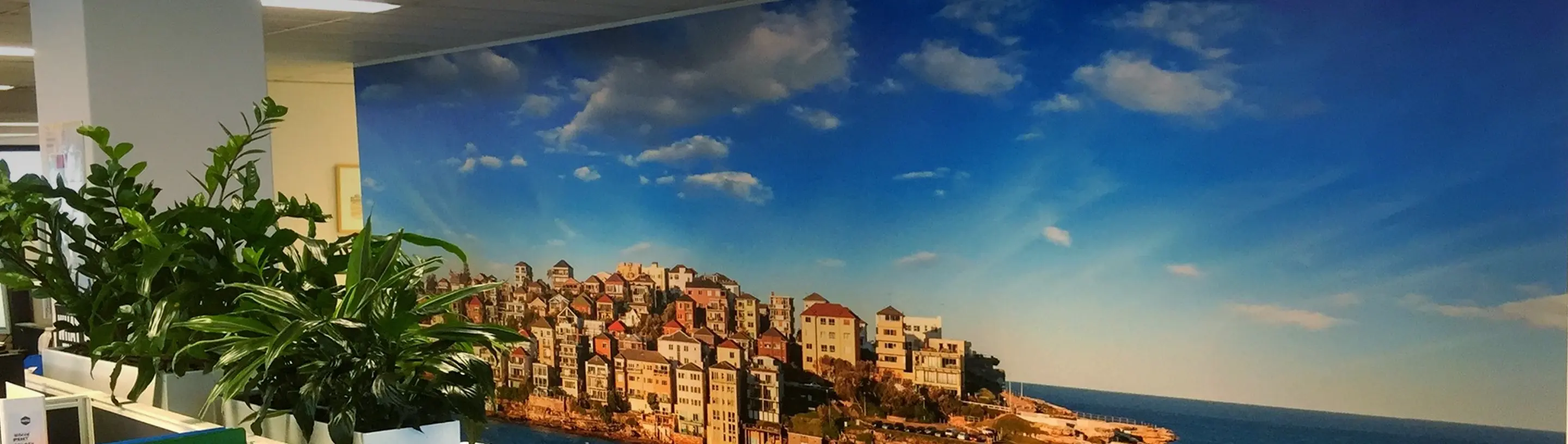
Selecting an appropriate image is one of the key decisions in custom wallpaper production. As the image will be printed on a large scale in order to create a mural on the entire wall, it should have high resolution.
What Is Image Resolution?
The definition of image resolution is determined by the pixel width and pixel height of the image. The higher the pixel count of an image, the higher the level of detail present in the image.
For instance, a 12-megapixel camera will generally produce images that are approximately 4000 pixels wide × 3000 pixels high.
This means that:
4000 × 3000 = 12,000,000 pixels = 12 megapixels.
The larger the pixel dimensions, the more information the image contains for large-format printing.
What Resolution Do I Need for My Wallpaper?
The general rule of thumb here is that if an image is 4000 pixels in width × 3000 pixels in height, then such an image could be printed as a wallpaper mural 4000mm × 3000mm in size.
This indicates that an image of 4000 × 3000 pixels would normally be good enough for a wall of 4 metres × 3 metres in size.
However, pixel size is not the only determinant when it comes to printing a large image. Other determinants include the camera, camera sensor, lenses, and the quality of the original image itself.
How Can I Check My Image Resolution?
It is possible to determine the pixel dimensions of the image through your computer.
In Adobe Photoshop
Load the image and go to Image > Image Size. It will display the width and height of your image in pixels.
For Mac
Select the image in Finder and click on Get Info. The pixel dimensions of the image will be shown in the information window.
See the screenshots below for examples of where to find the pixel dimensions of an image in Adobe Photoshop and Finder on Mac. These pixel dimensions can help you determine whether your image is suitable for the size of your custom wallpaper.


What If I'm Unsure About My Image?
At Mister Wallpaper, we check every file you upload, as well as images selected from our image library, to make sure the resolution is suitable for your wall and print size.
We provide custom wallpaper printing for customers across Australia, helping ensure your chosen image is suitable before it goes to print.
If we're unsure whether your image is suitable, we'll contact you before printing to discuss it with you.
When ordering your custom wallpaper, you can enter your required wallpaper width and height in the order configuration. You can upload your own image or choose an image from the available image library.

Get Your Image Ready for Custom Wallpaper
For the best results, always provide the highest-resolution version of your image. Check the pixel dimensions before uploading, and make sure the image is suitable for the size of your wall.
If you're ready to create your own custom wallpaper, upload your image and start your order with Mister Wallpaper.
Frequently Asked Questions (FAQ)
What happens if my image isn't high enough resolution?
Low-resolution pictures can become fuzzy or pixelated when enlarged. Mister Wallpaper will let you know if the resolution is suitable for your wall size. If you're unsure about your image, feel free to contact us for advice before placing your order.
Can I make a small image suitable for a large wallpaper?
No. Resizing an image will not increase its resolution. One should work with the highest-resolution image possible.
Does my wallpaper size affect the image resolution I need?
Yes. Large-size wallpaper murals tend to demand high-resolution images. For instance, 4000 × 3000 pixels will fit a mural that is 4000 × 3000 mm.
Can I use an image from the Mister Wallpaper image library?
Yes. You can pick your own image from the image gallery of Mister Wallpaper, which is filtered for appropriateness according to the print size.
Will my image be cropped when it is made into wallpaper?
Your picture may require some resizing according to the size of your walls. You will be able to set up your wallpaper sizes and crop the image in the Mister Wallpaper order configurator.